
Payment software for music schools that bill differently.
Per-instrument pricing, individual lessons, recital and exam fees. EduPay handles every billing combination a conservatory or music academy in Cyprus actually has — without spreadsheets.
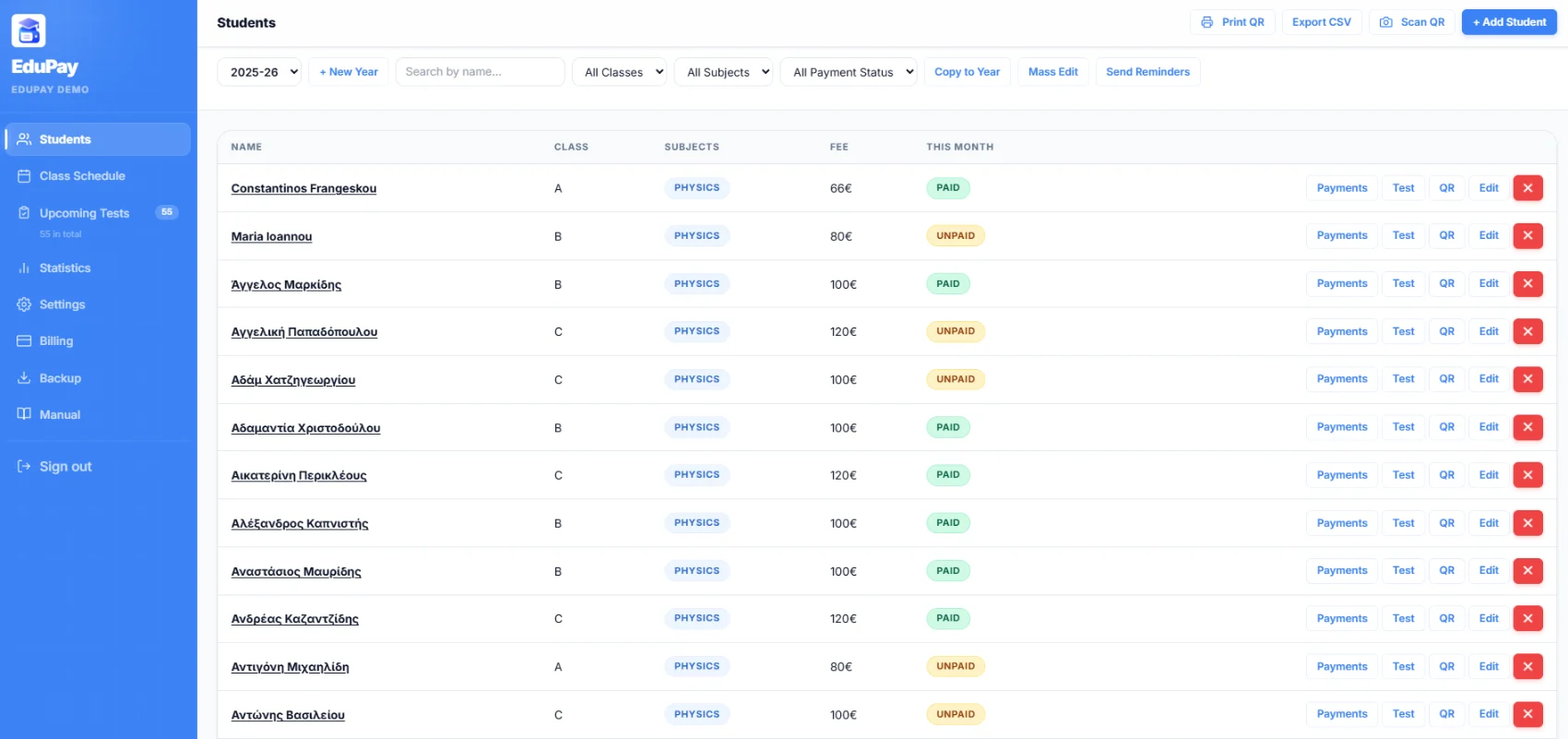
- Per-student fees
- One-off charges
- Parent QR view

Generic school software doesn't fit a conservatory.
Different fee per student
30-min beginner piano vs 60-min cello — same age group, totally different prices. Most tools can't model that.
Recital & exam fees
ABRSM, Trinity, recital costumes, sheet music — one-off charges that don't fit a fixed monthly model.
Variable lesson counts
Some students take 4 lessons. Some 8. Some skip a month for a tour. Billing has to flex with reality.
Family billing
Two siblings, two instruments, one parent — who wants one combined view, not two separate ones.
Flexible billing. Simple parent view.
Per-student monthly fee
Each student has their own editable monthly fee, regardless of which class they belong to.
One-off charges
Add exam fees, recital deposits, or sheet music charges to any student in any month.
QR per student
Each student gets a unique parent view. Families with two students bookmark both.
Overdue flags
The dashboard shows you exactly who's overdue, by how much, for how long.
Income reports
Filter by class, instrument, month, or student. Export to CSV for your accountant.
EU-hosted & secure
Runs on Google Firebase with strict role-based access and GDPR-aligned practices.
Music parents are more engaged.
Music school parents check progress, watch lessons, ask about exam dates. The QR becomes a regular touchpoint — not just a bill. They stop asking "have we paid this month?" and start asking the questions that matter.
What music school owners are saying.
My piano parents started checking the QR before they ask about lessons. It changed how I communicate — I'm not the bill collector anymore.
Per-student fees were the dealbreaker. We have 11 different prices across one violin class. EduPay just handles it.
Adding the ABRSM exam fee took 30 seconds. Parent saw it on the QR. Paid it that night. No invoice, no email.
Music school questions, answered.
Can EduPay handle different fees per instrument?
Yes. Each student has an individually editable monthly fee, so two students in the same class can have different prices based on instrument, lesson length, or any other factor.
Can I add one-off charges like exam fees?
Yes. Add an extra charge to any student in any month. It appears on the parent's QR view alongside the monthly fee.
Do you have a guide for music schools specifically?
Yes — read our music school billing guide for the full setup walkthrough.
How do siblings work?
Each student has their own QR. Parents typically bookmark both — many save them as separate home-screen icons.
Set up music school billing in one evening.
Free for 30 days. No card. Cancel anytime.